


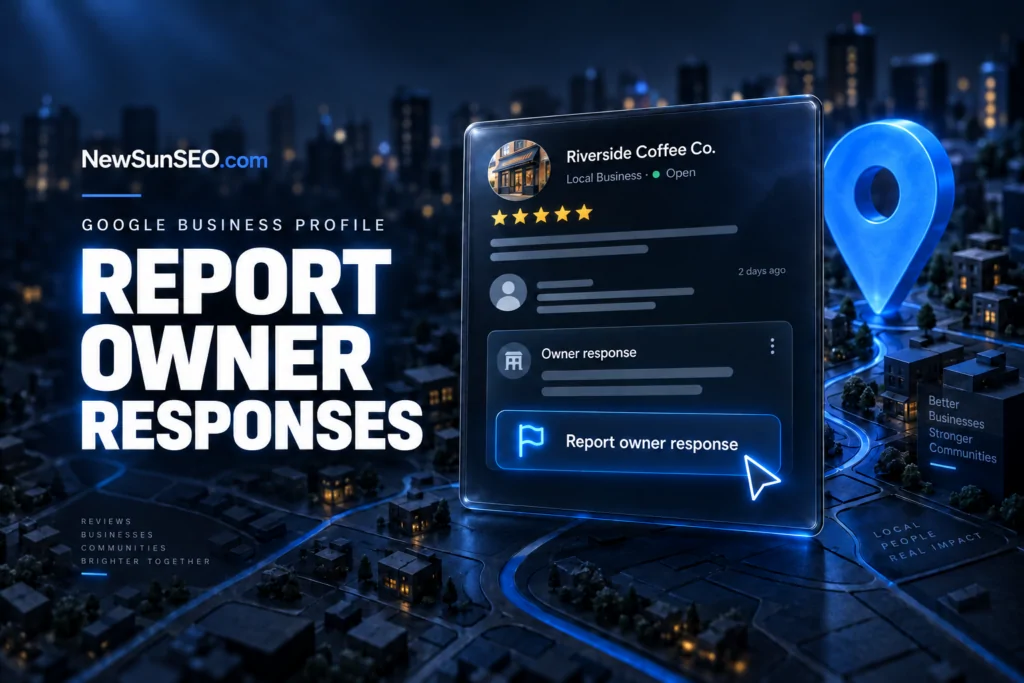
Google Business Profile now lets users flag an owner reply directly from a Google review, giving reviewers a built-in way to report business responses that cross the line on content, tone, or personal data.
What the new report option covers
The new option is labeled “Report owner response” and applies to reviews posted through Google Business Profile and Google Local. It surfaces a short form that lets the person who left the review tell Google why they think the business owner’s reply should be reviewed.
Google lists five content categories in the report flow:
- Off topic: the owner response doesn’t pertain to an experience at or with this business
- Profanity: the owner response contains swear words, sexually explicit language, or graphic violence
- Bullying or harassment: the owner response personally attacks a specific individual
- Discrimination or hate speech: the owner response uses harmful language about an individual or group based on identity
- Personal information: the owner response contains personal information such as an address or phone number
There is also an option to flag legal issues tied to the response.
Why Google added it
The change gives Google a direct channel for catching owner responses that violate policy, instead of relying on indirect signals. Until now, a user who felt a business reply was inappropriate had limited options inside the review surface itself.
Local SEO practitioners have flagged patterns over the years that the new form is built to address, including owner replies that commented on a reviewer’s appearance, disclosed bank account details, or used language that fell well short of a professional standard. A dedicated report flow makes those cases easier to route to Google’s trust and safety review pipeline.
How the form works
The report is submitted from inside the review on Google Maps and Google Local. The user picks the category that best matches the issue, can add context, and submits. From there, the report follows the same review moderation path that other policy reports on Google Business Profile use.
Because the trigger is the original reviewer’s report, a business owner cannot preemptively flag a response they wrote themselves, and a third party who did not leave the review cannot submit this specific form either.
What business owners should do
- Keep replies on topic and tied to the customer’s stated experience.
- Avoid personal details about the reviewer, including identifying information that could read as doxxing.
- Skip sarcasm and personal attacks, since both fall under the bullying or harassment category.
- Treat every reply as public, permanent, and indexed, because once a response is flagged, Google reviews it against the published categories.
A single flagged reply will not usually take down an entire profile, but a pattern of reports can affect how Google treats the listing’s review surface over time.
FAQ
What is the “Report owner response” option in Google Business Profile?
It is a new report category that lets the person who left a review flag a business owner’s reply for issues including off-topic content, profanity, bullying or harassment, discrimination or hate speech, personal information, or legal concerns.
Who can report an owner response on Google?
The report is available to users who encountered the response inside Google Business Profile and Google Local, and the form is reached through the review surface.
What reasons can a reviewer select when reporting an owner response?
Reviewers can choose off topic, profanity, bullying or harassment, discrimination or hate speech, or personal information, and can also flag legal issues tied to the response.
Related coverage
- What 1.8 million Google Business Profiles reveal about local SEO success
- AI Visibility Audit: How to Get Your Business Cited by ChatGPT, Perplexity, and Google AI Overviews
Want help with this in Myrtle Beach or Long Island? Talk to us.
NewSunSEO
Grow in Google and AI Search
AI-SEO, local search, paid ads and websites from one team, with offices on Long Island and in Myrtle Beach.
- AI-SEO
- Local AI-SEO
- AI Consulting
- PPC
- Web Design
- Web Development
- Long Island Office(631) 320-1700
- Myrtle Beach Office(843) 492-7131
Request a Free Proposal
Tell us about your business and where you want to grow.
We will reply by email to talk through your goals and what a proposal would include.
We use your details only to reply to you and send what you asked for. See our Privacy Policy.

